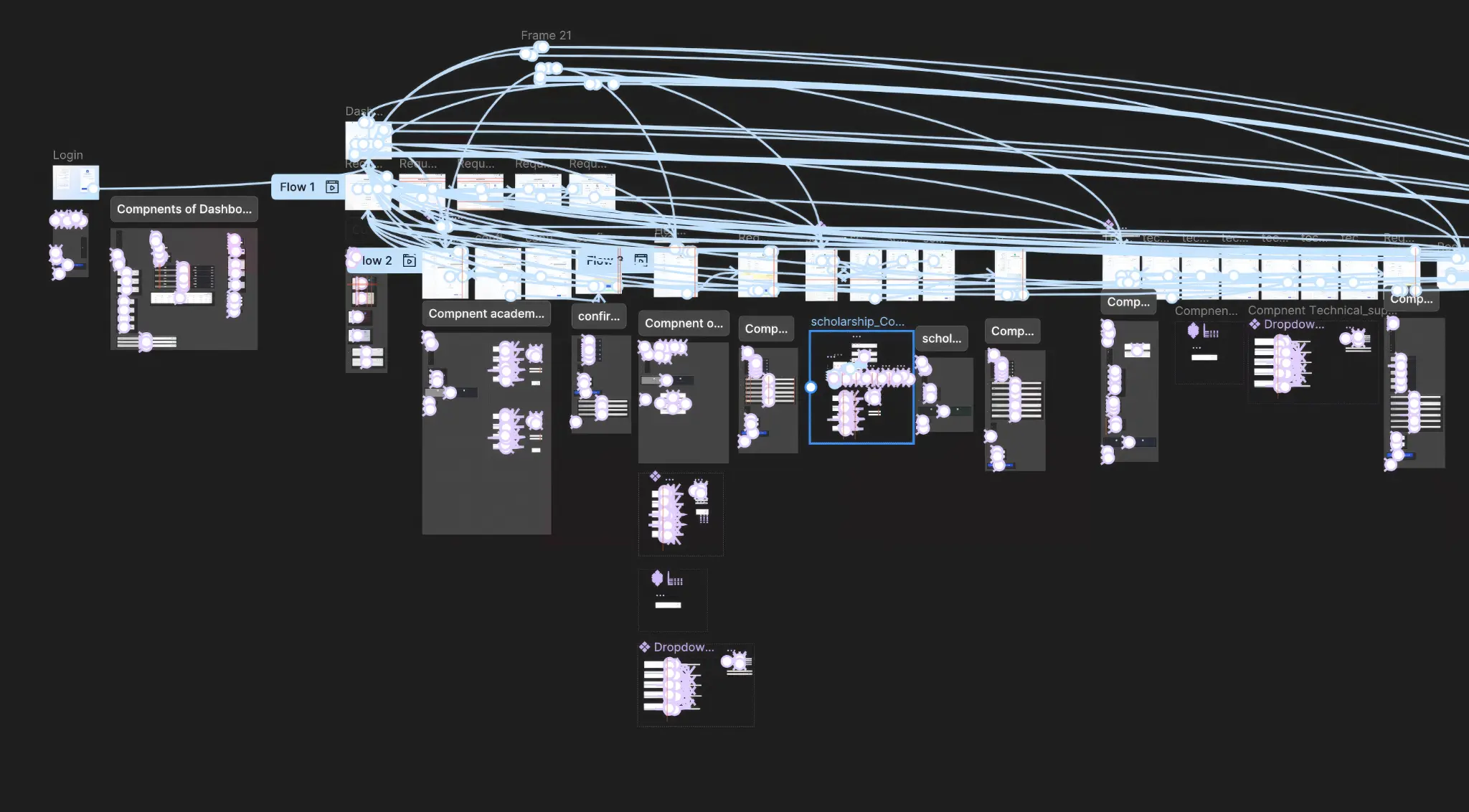
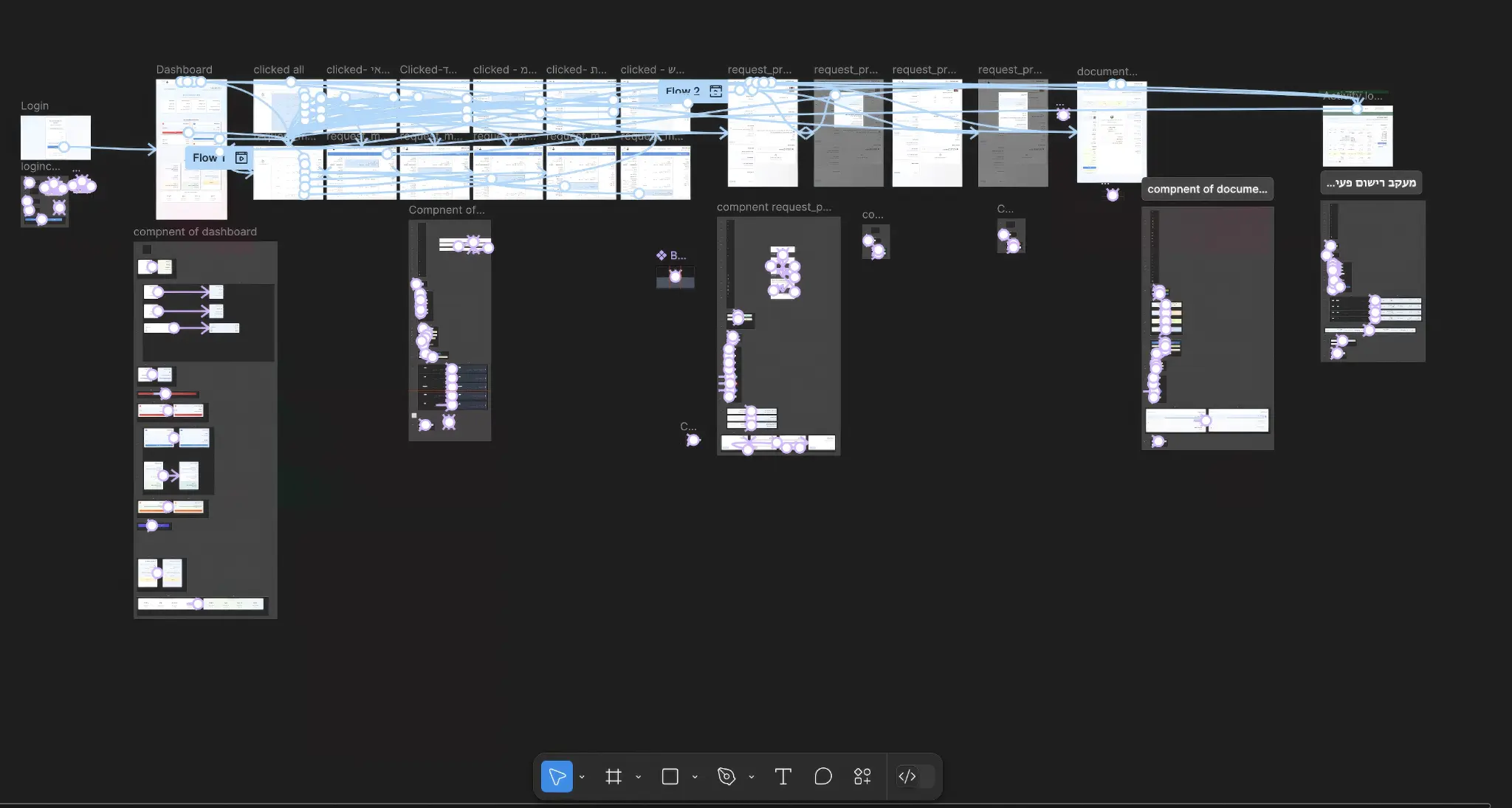
Redesigning the academic request submission experience — from a slow, cumbersome process to a smooth, transparent digital experience

Students and academic staff suffer from an inefficient request process causing frustration and wasted time
Students wait weeks for a response to simple requests, with no way to know the status
No way to track request progress or know what stage it is at
Confusing forms, missing documents, and the need to repeatedly visit the office
The office handles hundreds of manual requests without automated management tools
A smart digital portal with a dual interface — for students and academic staff
A personal control center with statistics, active requests, and an academic calendar in one place
Updated status for every request with automatic notifications on every change
Clear guidelines, fields adapted to request type, and simple document upload
Clean design, useful tips, and available support at every step
Mapping the user journey and identifying improvement opportunities
| 01Search | 02Starting Request | 03Submitting Request | 04Receiving Response | 05Loyalty | |
|---|---|---|---|---|---|
| User Steps | Browsing the college website, searching for request information | Logging into the system, selecting request type | Filling form, attaching documents, submitting | Waiting, receiving notification, reading response | Completing the process, returning to the system in the future |
| User Actions | Clicking menus, reading pages | Logging in, filling initial fields | Uploading files, confirming details | Checking email, logging into system | Recommending to friends, repeat usage |
| Goals & Experiences | Finding the appropriate request type | Starting the process quickly | Completing the process successfully | Receiving a quick and clear response | Positive experience leading to repeat usage |
| Feelings & Thoughts | Confusion, uncertainty | Insecurity, fear of mistakes | Pressure, fear of rejection | Anxiety, uncertainty | Satisfaction / frustration |
| Pain Points | Scattered information, unclear navigation | Long form, unclear fields | Cumbersome file upload, lack of feedback | Long wait times, lack of transparency | Negative experience drives users away |
| Opportunities | Smart search engine, categorization | Tooltips, auto-save | Drag & drop, preview, validation | Real-time notifications, detailed status | Feedback loop, gamification |
Hierarchical content and information structure with two interfaces — student and academic secretary
Central digital portal
System authentication
Request submission and tracking
Request management and processing
The complete user journey for each persona in the system
Request submission and tracking journey
System authentication
Request overview and academic calendar
Select type and fill form
Attach required files
Submitting Request
View status and history
Request management and processing journey
Secretary authentication
Statistics and achievements
Filter and view
Review details and documents
Select template and generate
A research-driven approach with rapid iterations
Interviews with students and academic staff to understand pain points
Mapping User Journey and identifying improvement opportunities
Designing Wireframes and interactive prototype in Figma
User testing and improvements based on feedback
Request submission and tracking interface for students
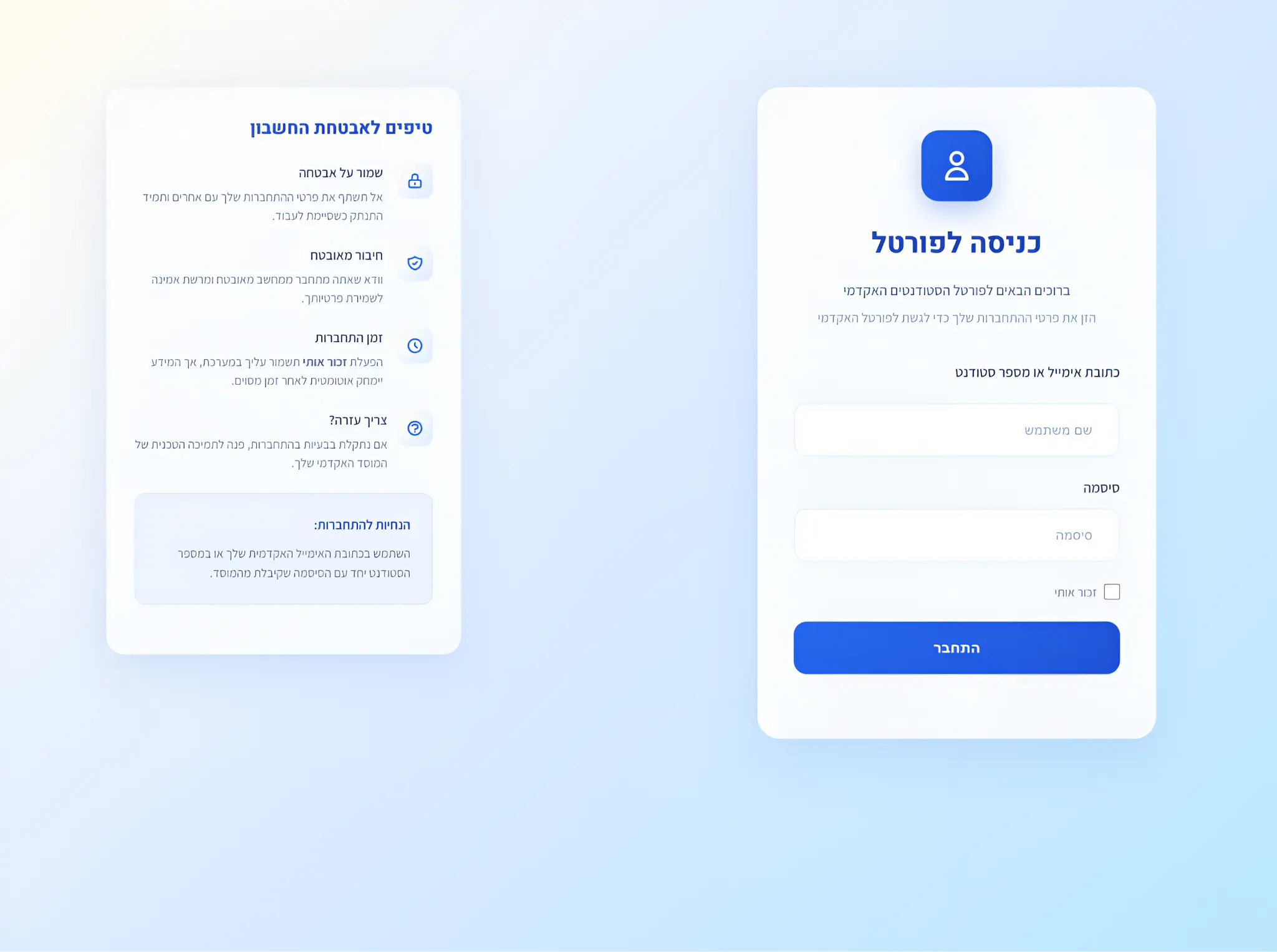
Clean and inviting design with account security tips. The interface clearly guides the user and provides a sense of security.
The student's personal control center — request statistics, active requests, academic calendar with important dates, and helpful tips.
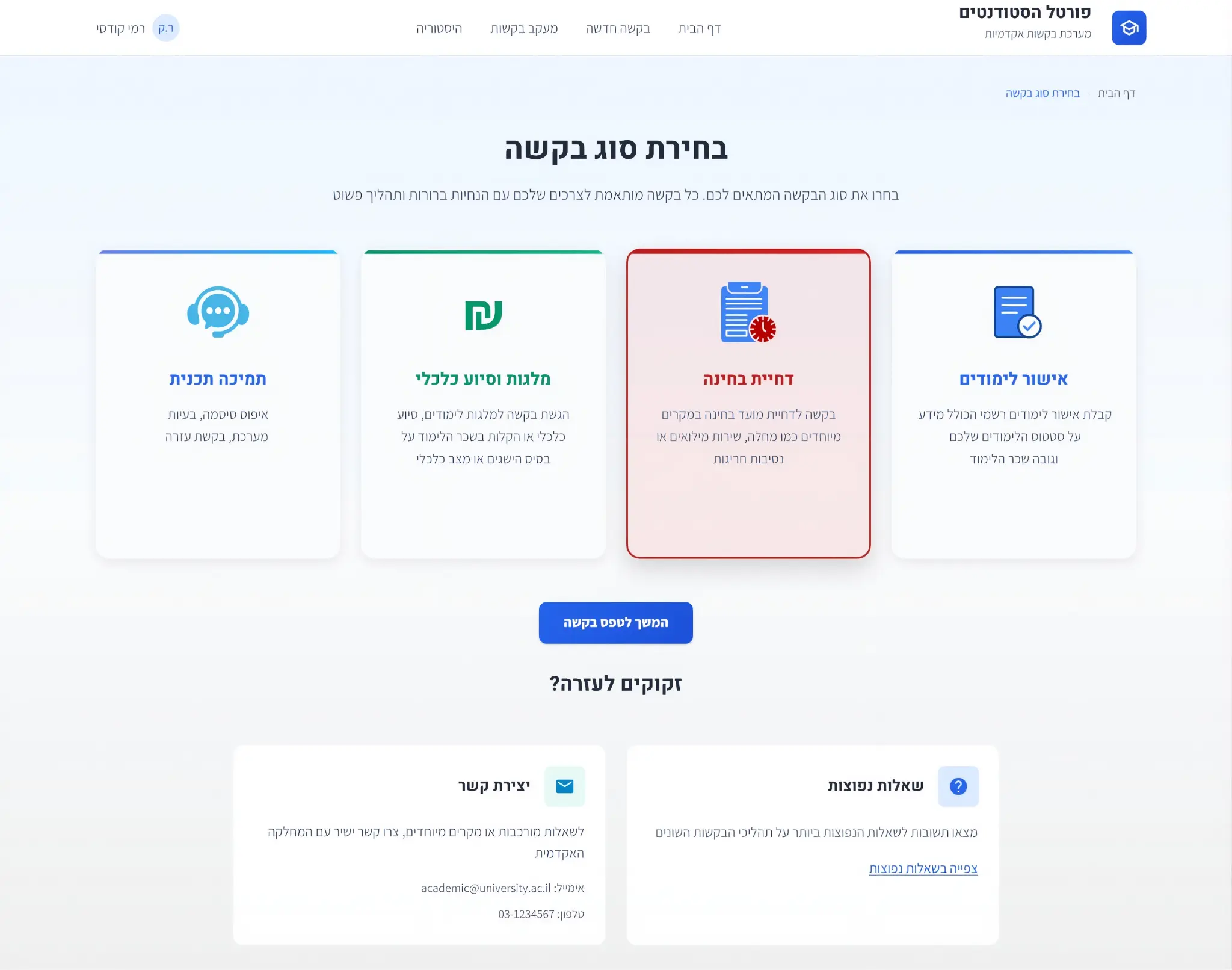
4 clear categories with icons and descriptions detailed. The user immediately understands which request suits them and what the process is.
Smart form with side guidelines, fields adapted to request type, and easy document upload. Includes tooltips and processing time information.
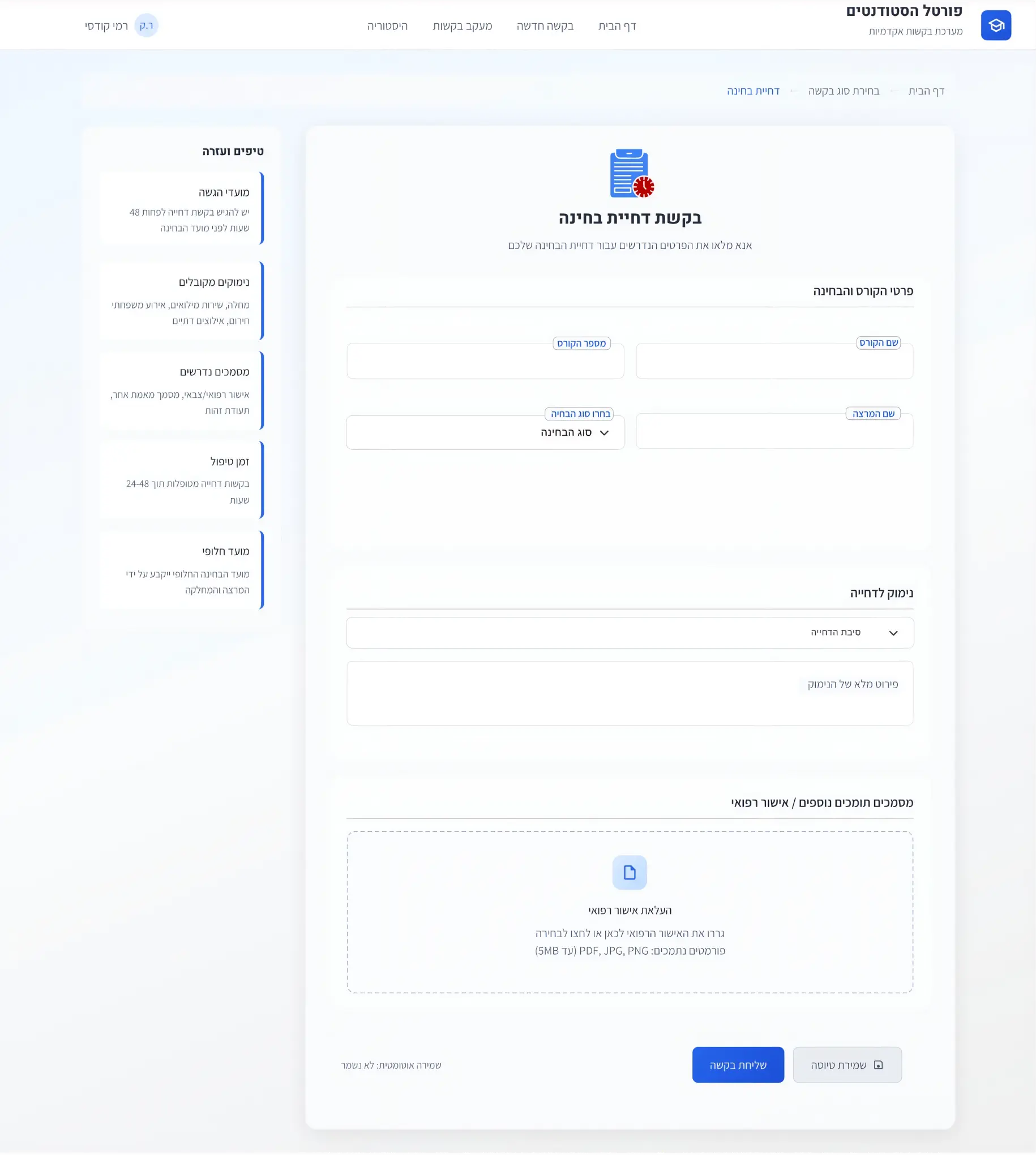
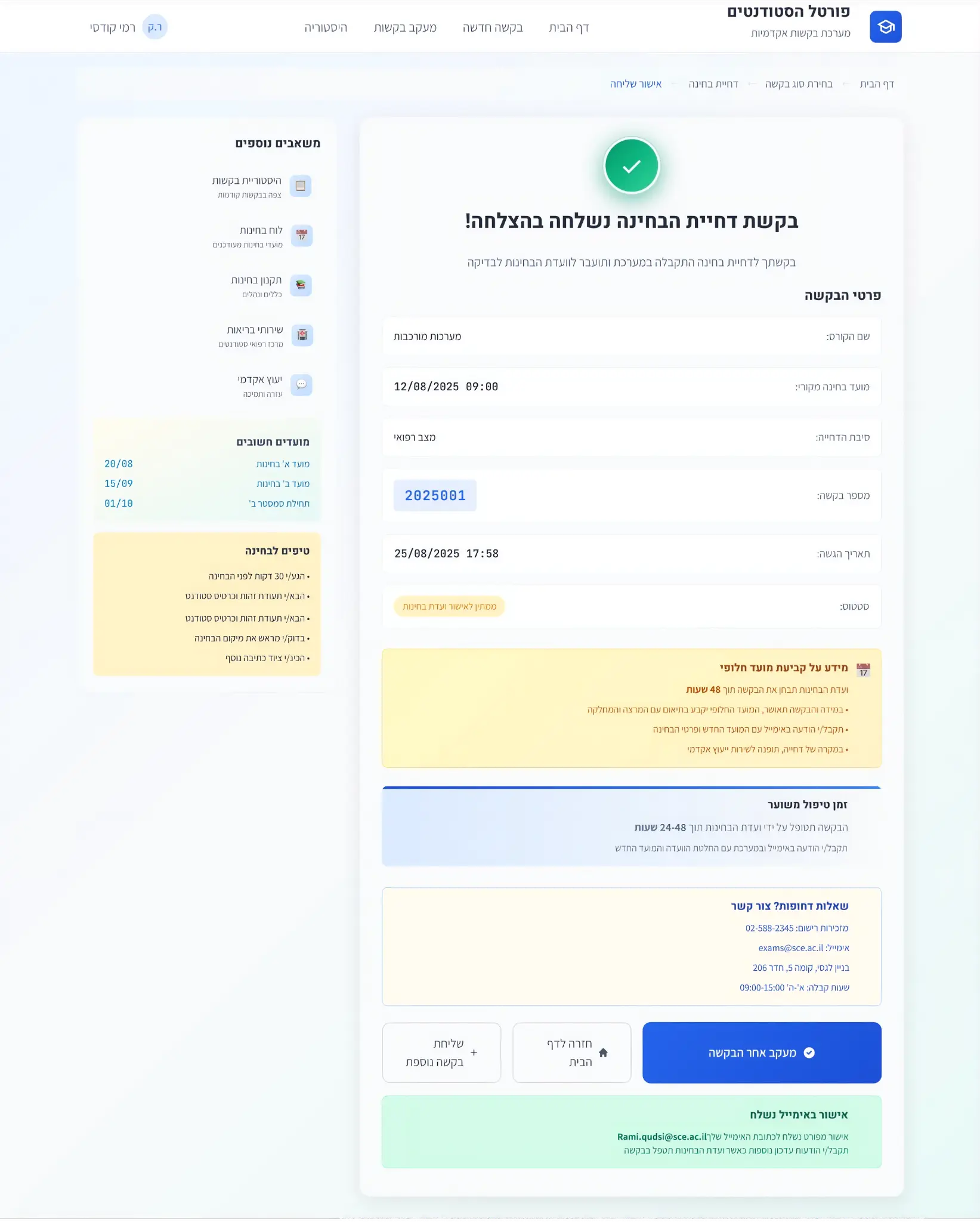
Detailed confirmation screen with request details, estimated processing time, alternative date info, and aptions to continue — all with full transparency.
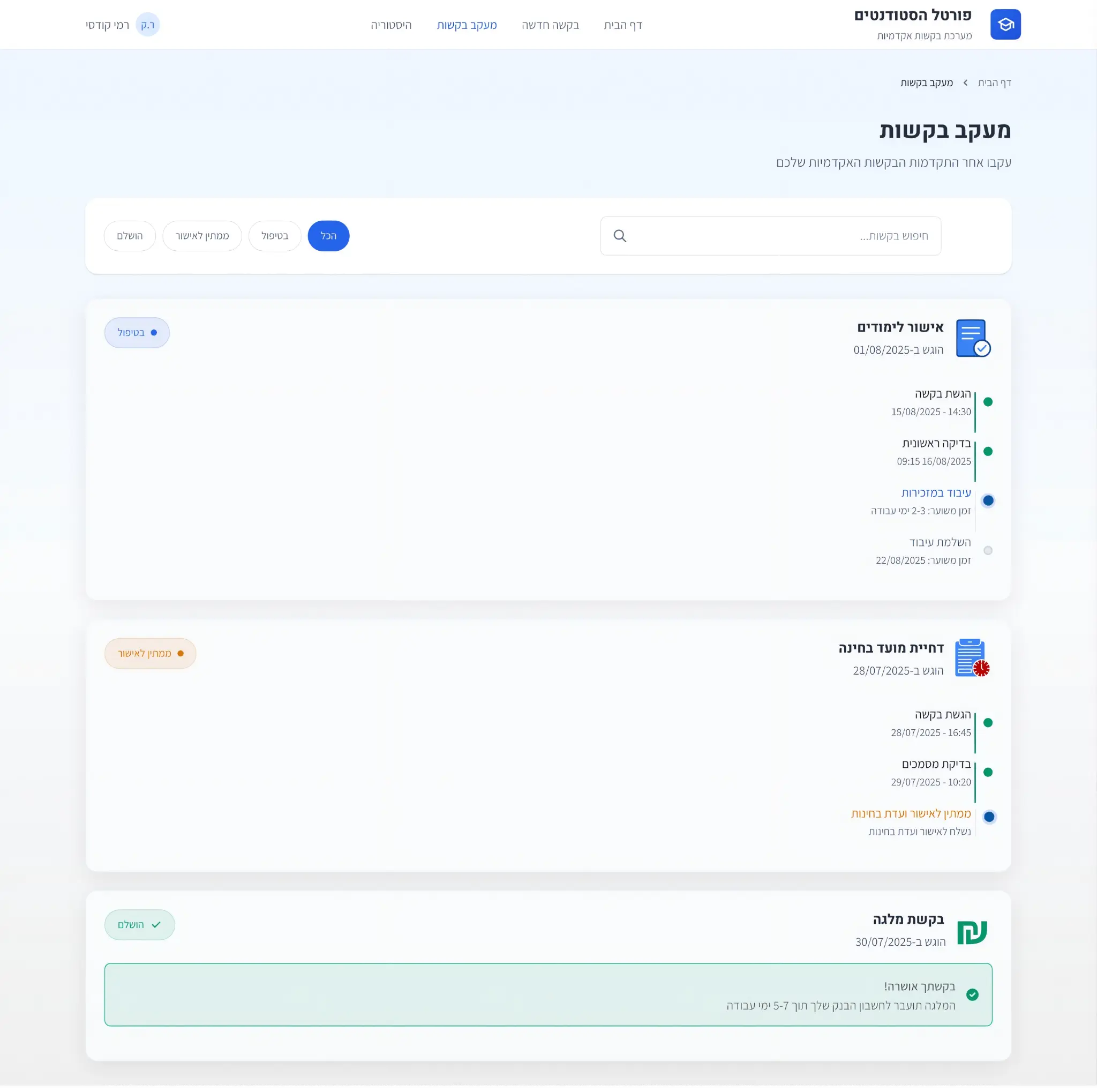
Real-time tracking of all requests with detailed Timeline for each request — when submitted, current stage, and expected completion to be completed.
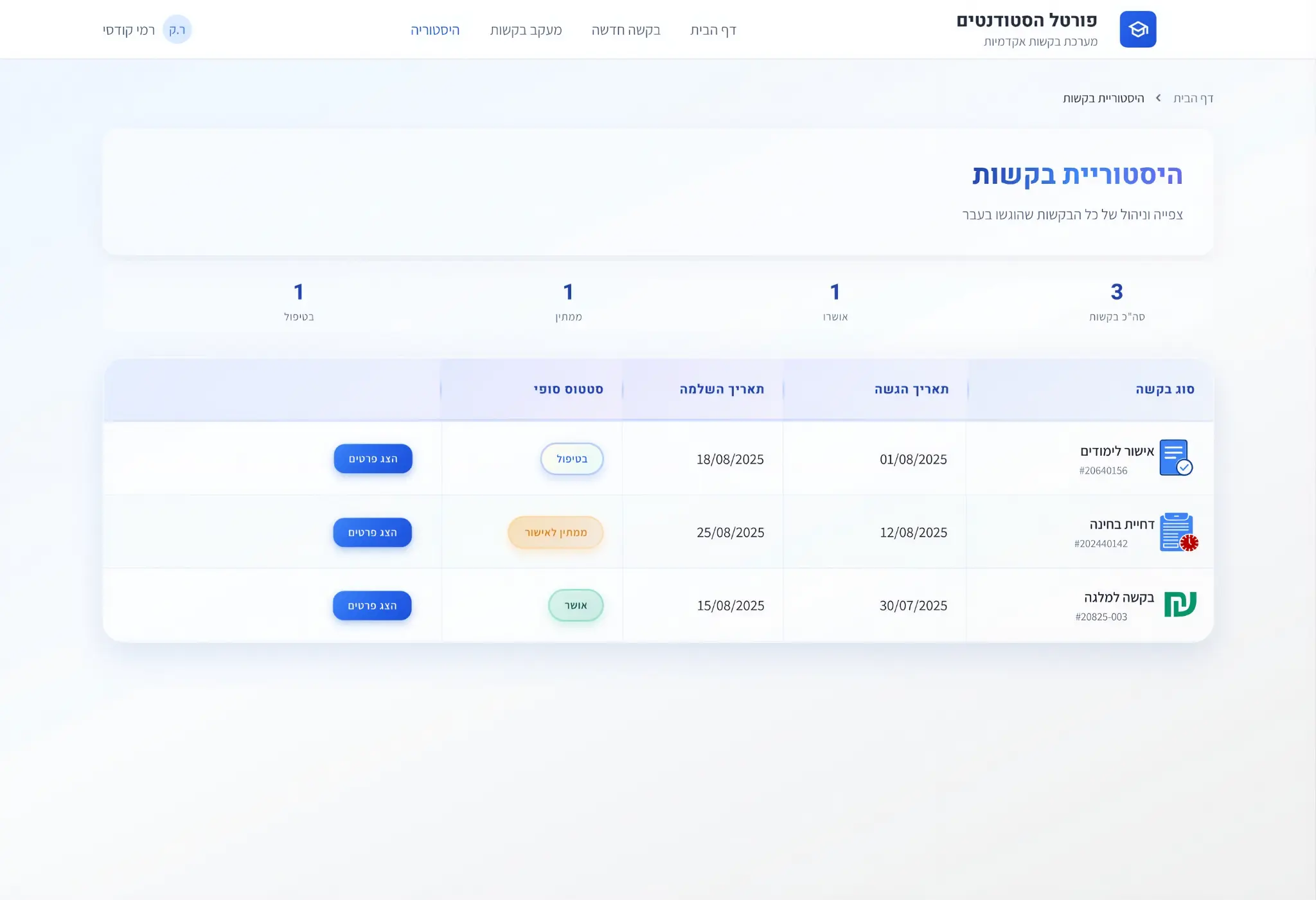
Complete archive of all submitted requests — final status, submission and completion dates, with the option to view full details.
Request management and processing interface for academic staff
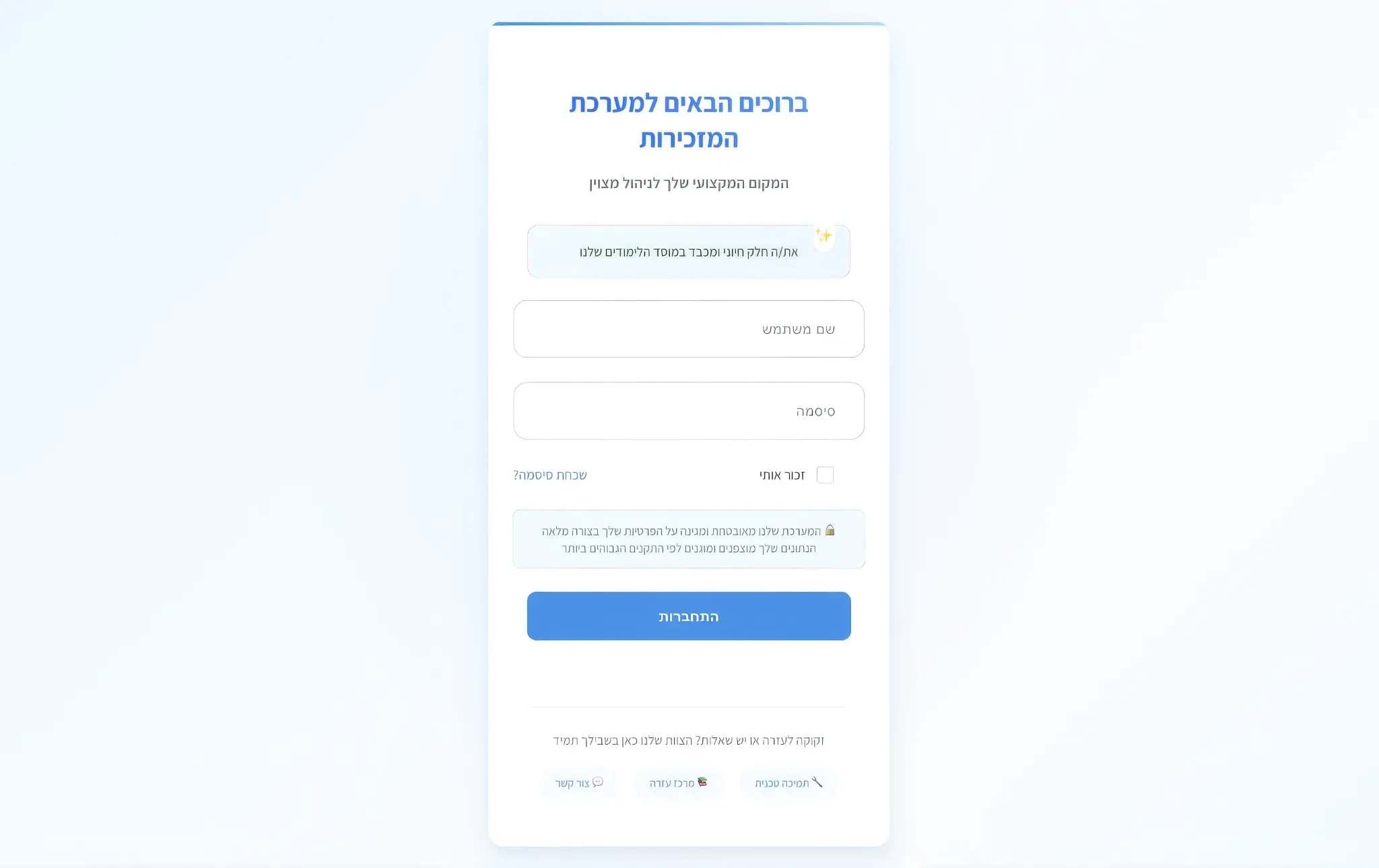
Dedicated login screen for the secretary system with professional welcome message, clear login fields, and support linchnical support.
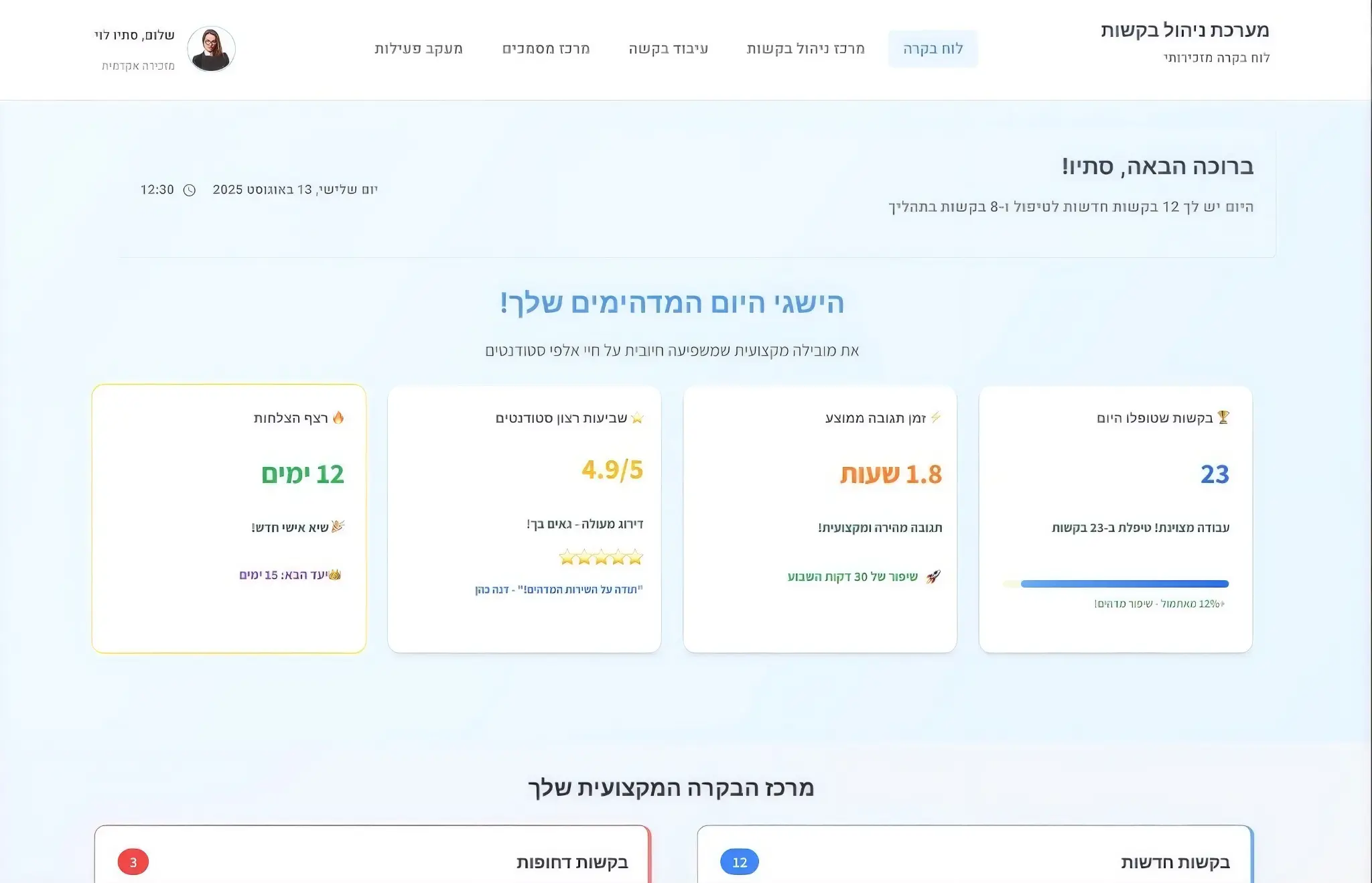
Professional dashboard with daily achievements (23 requests processed, 1.8 hours response time, 4.9/5 satisfaction), control center with new and urgent requests.
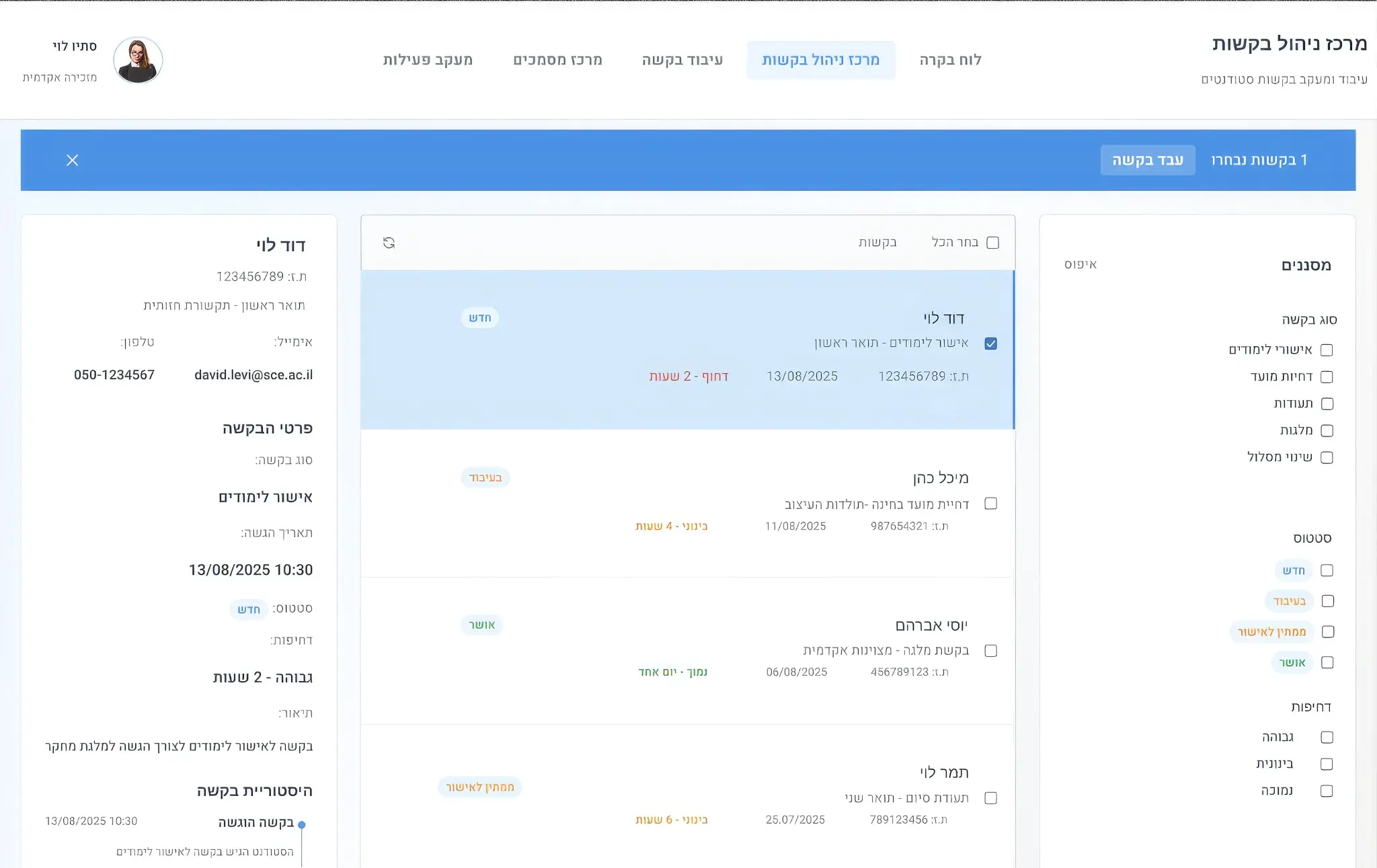
List of all requests with advanced filters (request type, status, urgency), student details, and option to process multiple requests.
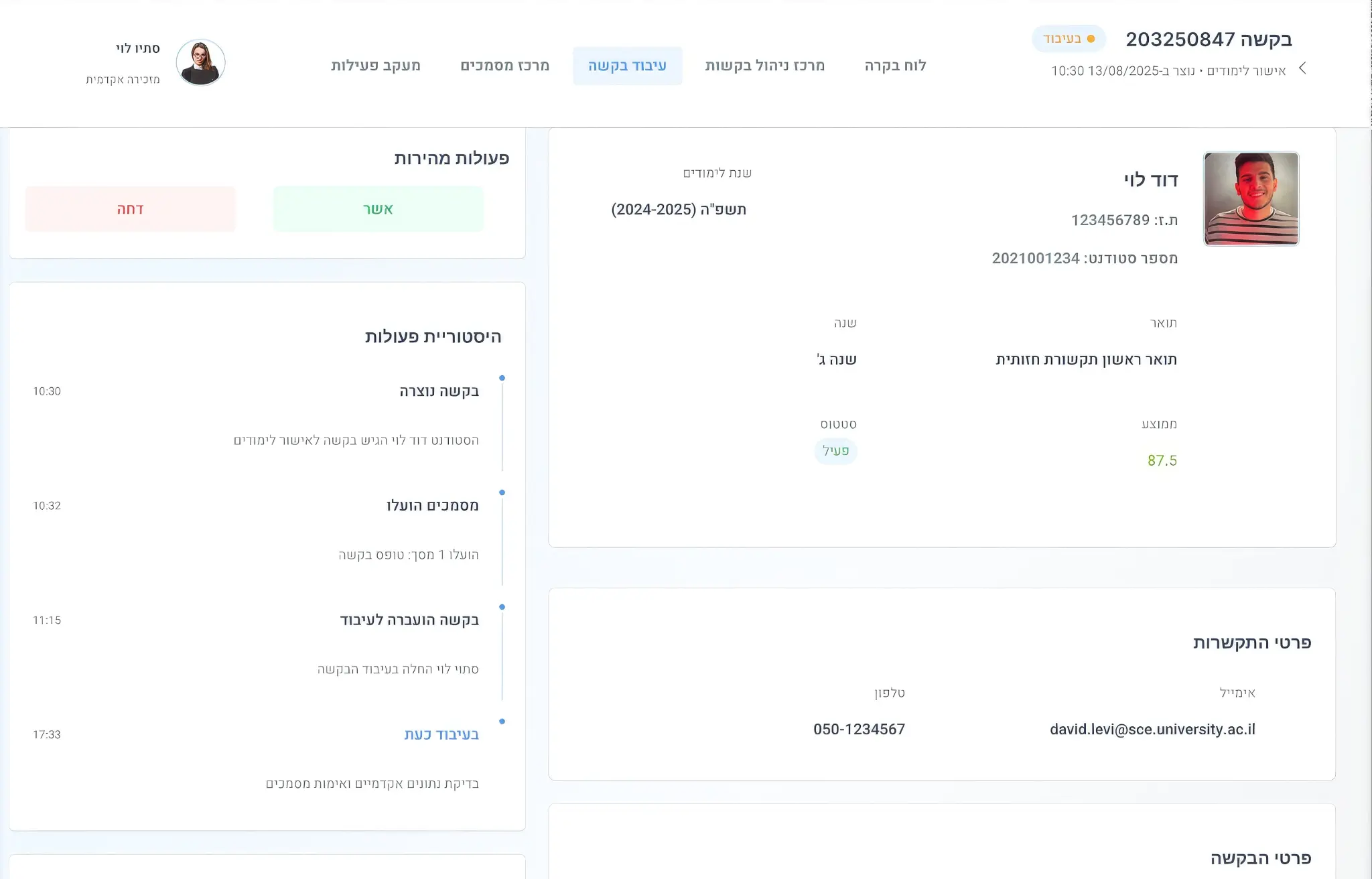
Detailed processing screen with student details, action history, quick actions (approve/reject), and full request details.
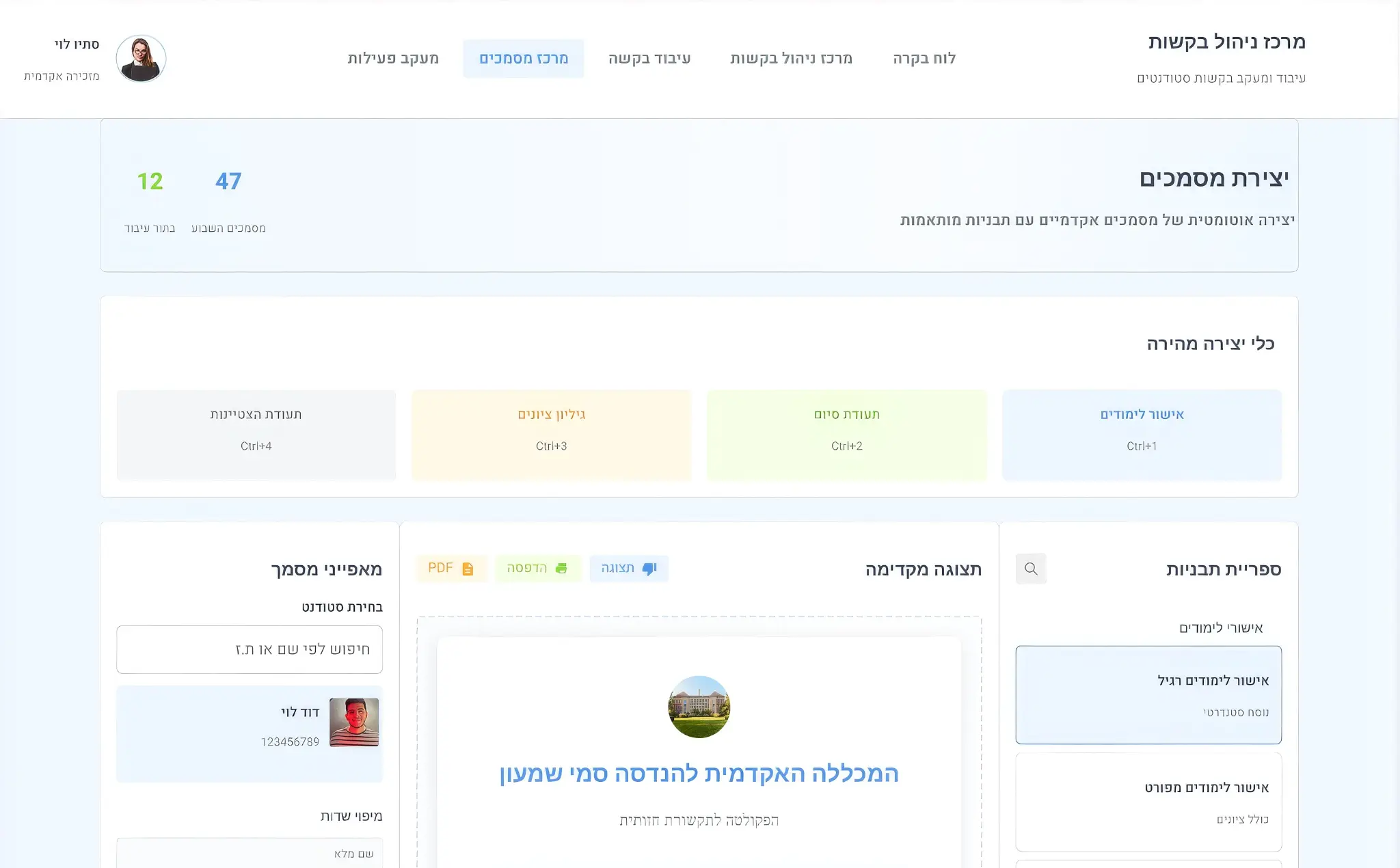
Document center with quick creation tools, template library (enrollment confirmation, diploma, transcript), and preview.
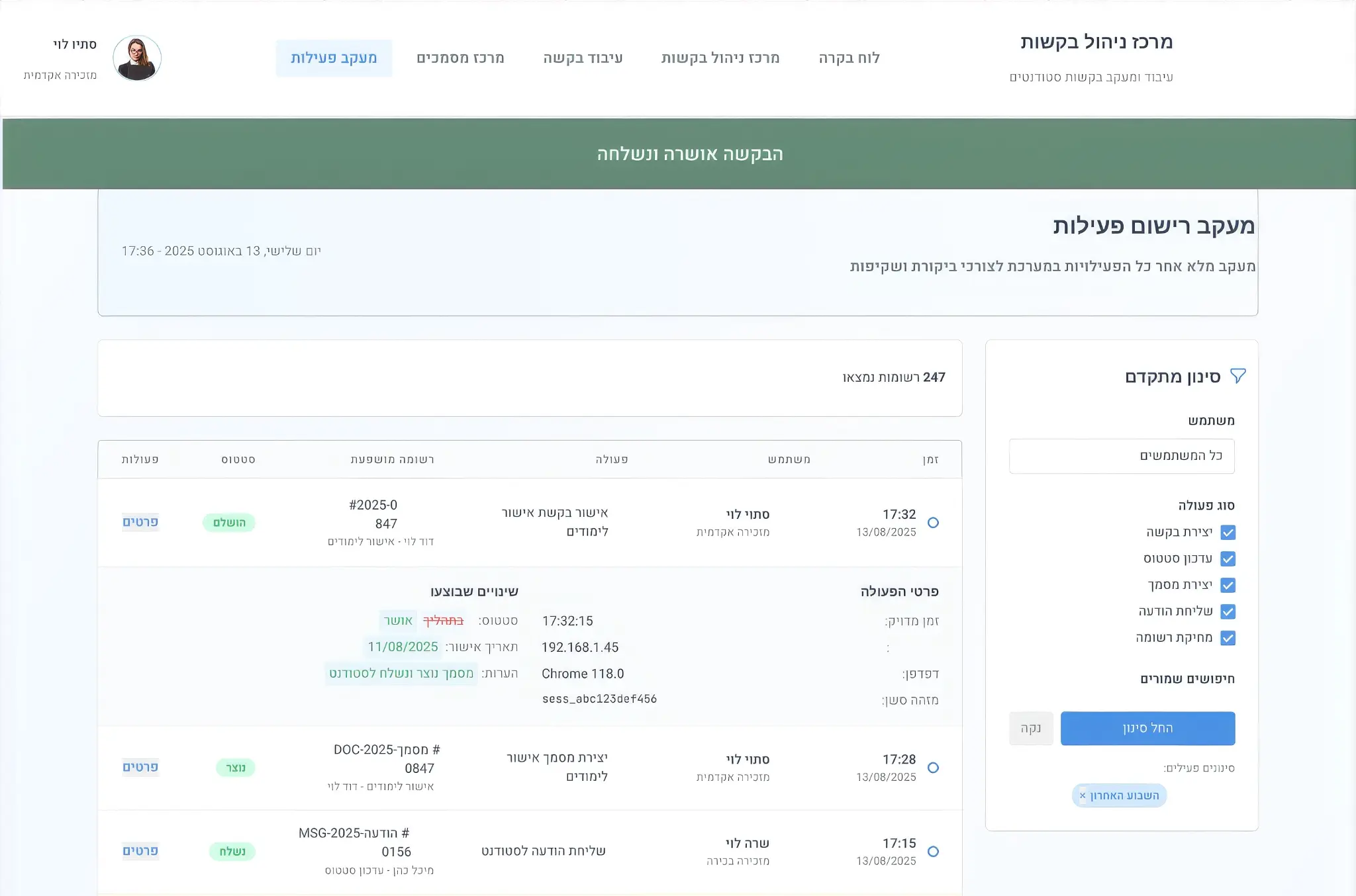
Complete activity log with advanced filtering, action details (request creation, status update, document creation), and saved searches.
Experience the system yourself and see how I solved the problems